

PraiseTune is the app worship teams and church musicians use to manage lyrics, chords, collections and setlists in one place. The bigger your repertoire (or the public one shared by other users) grows, the more search becomes the tool you actually rely on every day. With PraiseTune 1.1, search in “Explore” lines up with the one already in the Team tab, gains an escape hatch for when filters are too narrow, and becomes more forgiving about how you write what you’re looking for. On top of that, sorting songs by date becomes its own option, not just alphabetical or numeric.
The search pill in “Explore”
The “Explore” tab now adopts the same expandable search pill already used in the Team tab: a small button that, when tapped, expands in place to type your search, instead of opening a separate screen. On tablet and desktop it lives alongside the other controls; on phone, at the bottom of the screen together with the search bar.
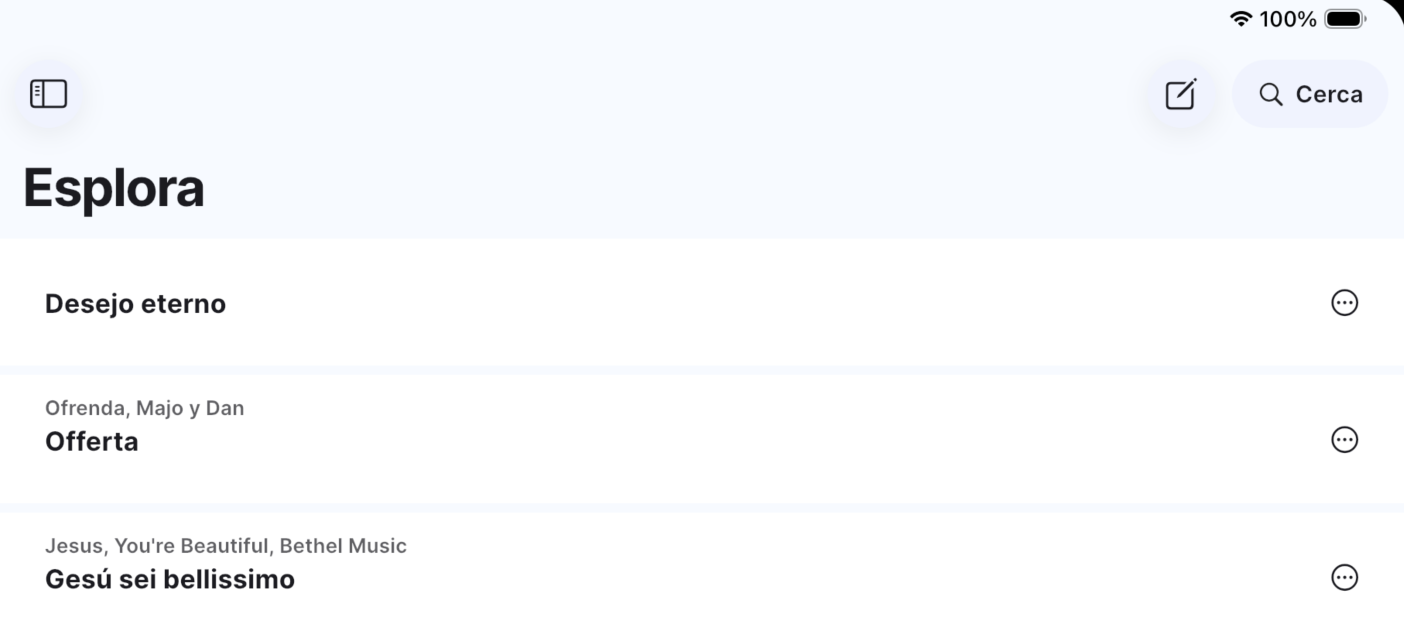
The same tab now also has a direct button for writing a new song, styled like the ”+” button already in “My Songs”: before, you had to go through “My Songs” to start a song from scratch, now you can do it directly from “Explore.”
“Search everywhere”: an escape hatch when results run out
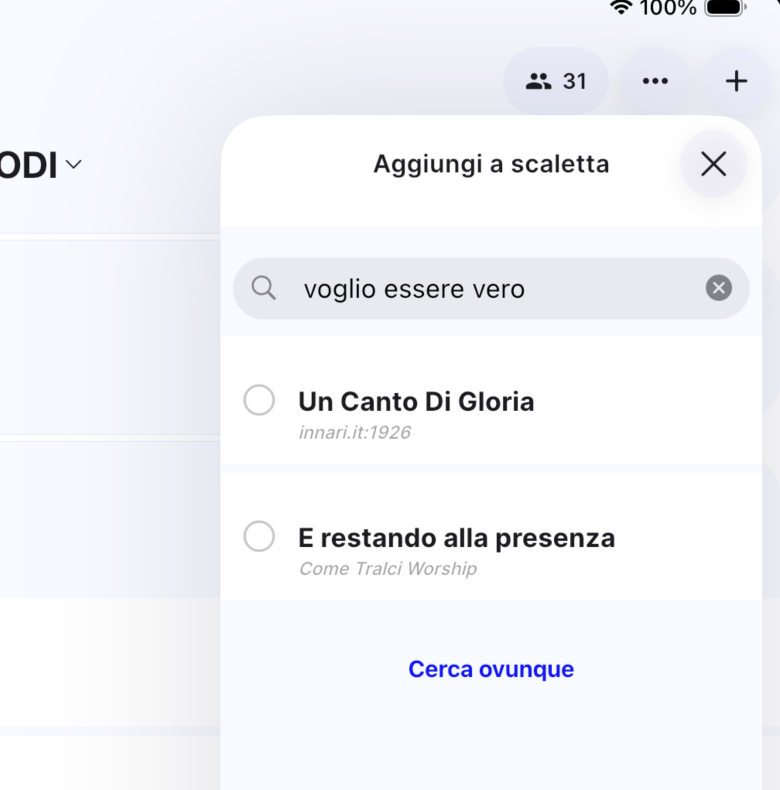
In some parts of the app, search is deliberately filtered: for example, when you add a song to a setlist, PraiseTune searches your team’s existing songs first, so you find what you probably need faster.
The problem comes up when the song you’re looking for isn’t in the team: before, filtered search would simply find nothing, with no clear alternative. Now, when results filtered on your team run out, a “Search everywhere” button appears that relaunches the same search without that filter, extending it to the whole public repertoire.
A more forgiving search
Search is now more forgiving about how you write what you’re looking for: small differences like a dash, an apostrophe or a comma written differently from the original title no longer stop you from finding the right song. Before, a search written slightly differently from the exact title could return few or no useful results.
There’s nothing to configure: it’s an improvement that works on its own, every time you search for a song in the public repertoire.
Sorting songs by date added or date created
Alongside the existing criteria (alphabetical, numeric), you can now also sort a collection’s songs by date added (when it entered that collection) or date created (when it was first written). It’s a request that came from concrete use cases: people who want to immediately see what they added or wrote last, without having to hunt for it by eye among everything else.
You’ll find the new criteria in the same sorting menu as before, alongside alphabetical and numeric, which can now also be reversed. Handy when you’re browsing an already-sorted list and want to see the most recent entries, or the ones near the bottom, first, without scrolling all the way to the last page every time.
Frequently asked questions
Does “Search everywhere” also search other users’ private songs? No, it extends the search to the shared public repertoire, following the same visibility rules already in place for the Explore tab: you still only see what’s actually shared.
Why is search sometimes filtered to my team inside a setlist? It’s intentional: if you’re building a setlist, the song you’re looking for is much more likely to already be in your team’s repertoire. The filter speeds up the common case; “Search everywhere” covers the less common one.
Does the more forgiving search change anything about titles already saved? No, it only affects how searches are interpreted, not the saved data: song titles stay exactly as you wrote them.
Can I also sort “My Songs” by date? Yes, the new date-based sorting criteria are available everywhere the sorting menu already exists, including “My Songs” and a team’s collections.
If you’re still building your repertoire from scratch, also see how to convert a PDF to ChordPro and managing setlists and songs at church without chaos. For the rest of what’s new in this version, see PraiseTune 1.1: duplicate collections and songs, new menu, faster search.
Download PraiseTune for free on App Store and Google Play and find your songs faster.