

Do you have dozens of PDFs with chords and lyrics saved on your phone, buried in folders on your computer, or worse — printed out and scattered across your music stand? If you play in a worship team or regularly serve music at church, you know exactly what I mean: files that won’t open, chords that are impossible to read, pages that turn at the worst possible moment.
The ChordPro format solves most of these problems. It’s an open, widely adopted standard for writing song lyrics and chords in a structured, clean way that apps, editors and professional print software can all read. The problem is that manually converting dozens of PDFs into ChordPro takes a lot of time.
In this guide, we’ll walk through how to do it automatically, using the AI built into the PraiseTune app.
What is ChordPro?
Before diving in, it’s worth understanding what we’re dealing with. ChordPro is a text-based format that places chords directly above the right syllables in a song’s lyrics. Instead of putting chords on a separate line (where they’re always at risk of going out of sync), ChordPro looks like this:
[G]You are [D]worthy of praise, worthy of [Em]honor
[C]To you all the [G]glory
The result is a .cho or .chordpro file that any compatible app, including PraiseTune, can read and display perfectly: with automatic key transposition, zoom, and much more.
Why it’s worth converting your PDFs to ChordPro
If your worship team is still working with PDFs or Word documents, you’re probably losing time every week on tasks you could skip entirely:
- Changing the key to match a different voice? With ChordPro it’s one tap. With a PDF you have to redo it manually every time.
- Sharing an updated song with the team? With ChordPro you update it once and everyone sees the latest version. With a PDF you resend the file from scratch.
- Displaying chords on a large screen during rehearsal? ChordPro adapts to any size. PDFs often become unreadable.
- Building a setlist with the song order? With ChordPro it takes seconds (we go deeper in managing setlists and songs at church without chaos).
The good news is you don’t have to retype everything from scratch. You can let the AI do the heavy lifting.
What you need
- The PraiseTune app (free), available on the App Store and Google Play
- Your PDF files (or images) with lyrics and chords
- A few minutes of your time
Step-by-step guide
1. Download and sign up for PraiseTune
Start by downloading PraiseTune for free from the App Store or Google Play. Once installed, create your account: it only takes a few seconds with an email address or social login.
PraiseTune is also available on macOS and Windows, so you can work from your computer if you prefer importing files from your desktop.
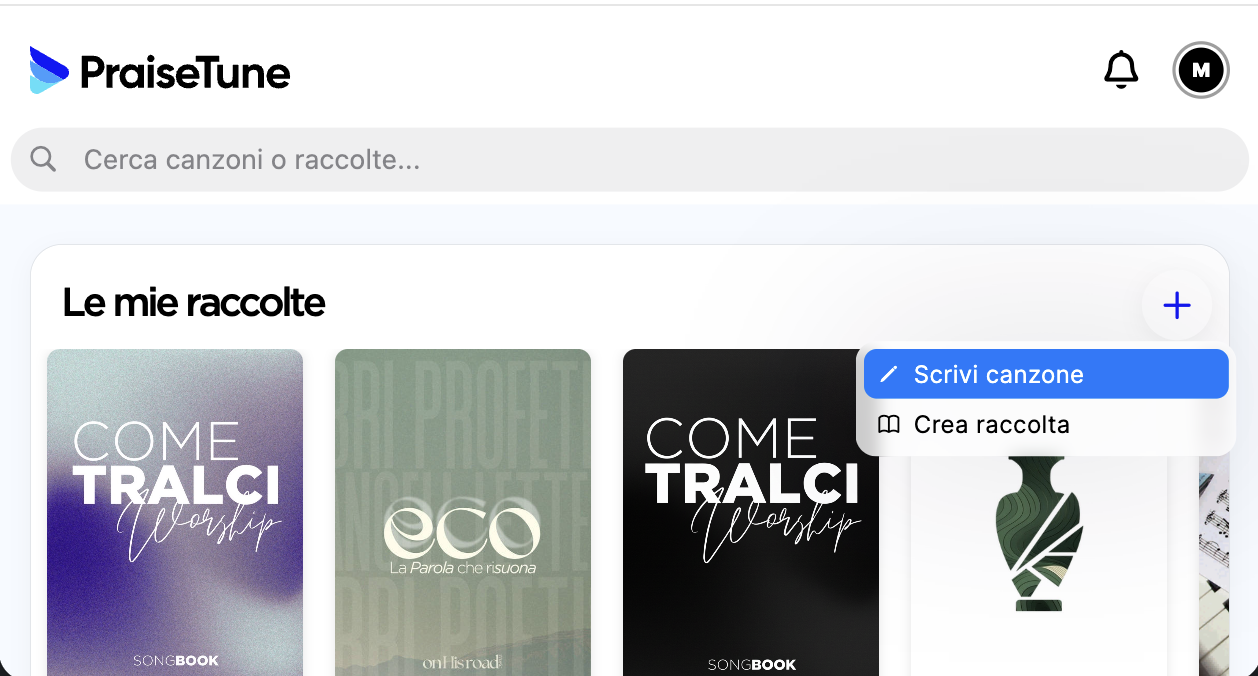
Once you’re in, tap the + button in the top right to add a song to your repertoire.
2. Choose “Import file”
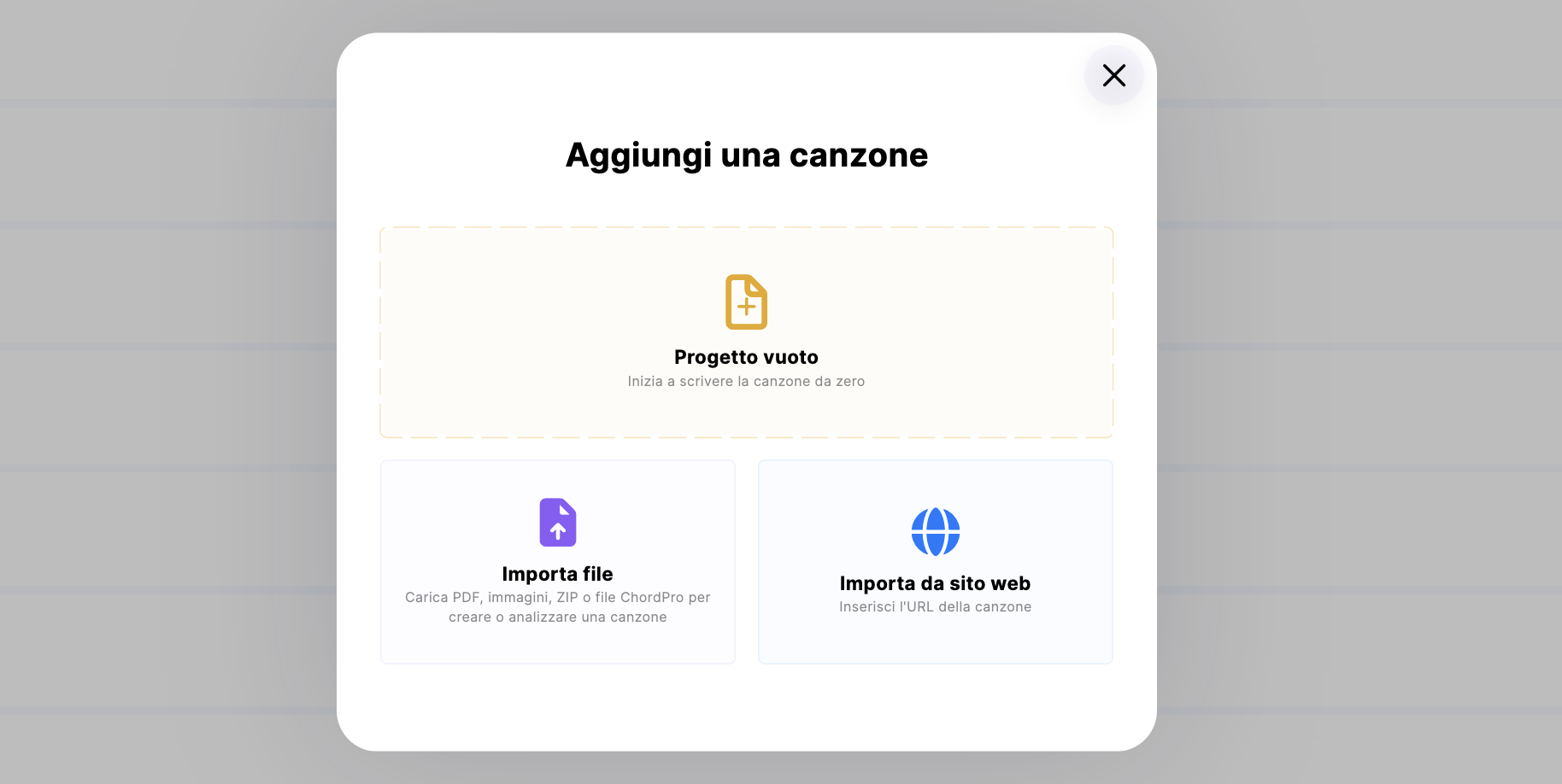
A dialog will appear with the available options. Select “Import file” to upload your PDFs or images.
3. Upload your PDFs or images
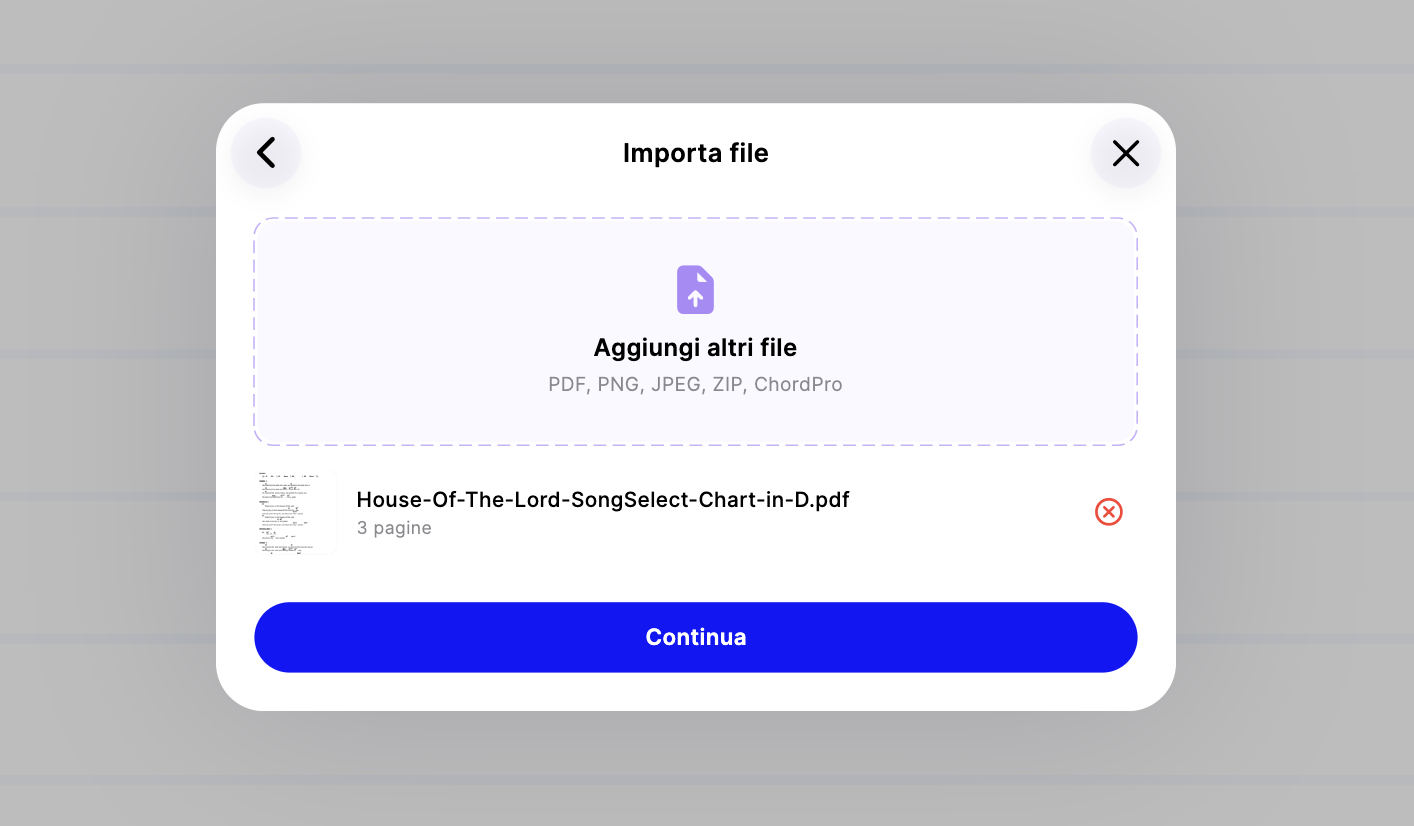
On the next screen you can upload:
- PDFs with lyrics and chords (including multi-page documents)
- Images (JPG, PNG) of handwritten sheets or photos
You can import multiple files at once. PraiseTune’s AI will analyze them and automatically split them into individual songs, even if a single PDF contains several songs. You don’t have to do anything manually: the system detects the start and end of each song on its own.
4. Select “Extract lyrics and chords”
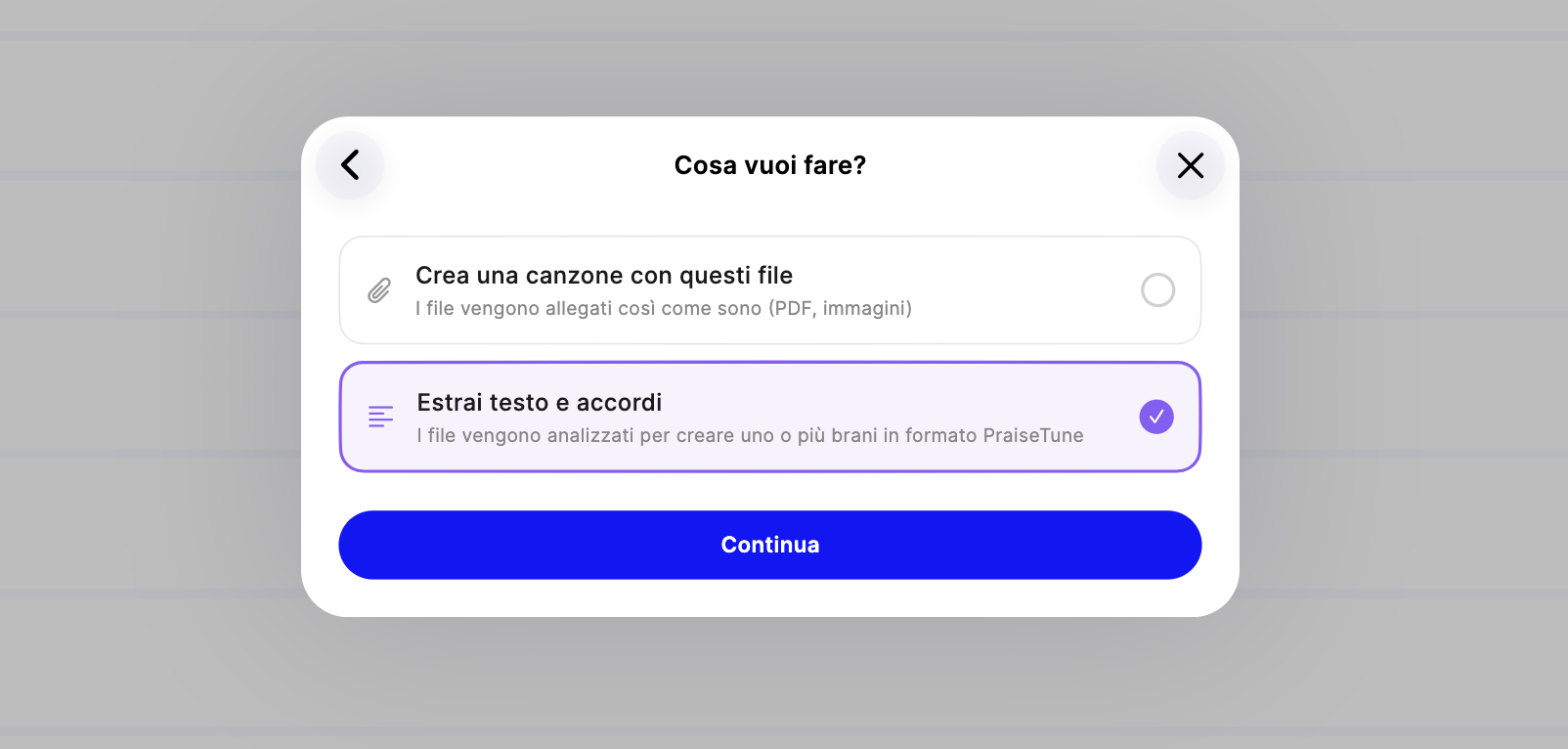
Once the files are uploaded, the app will ask what you want to do. Select “Extract lyrics and chords” and tap Continue.
This is where the AI takes over: the app analyzes each page, recognizes the lyrics, identifies the chords and their position relative to the syllables, and automatically builds the ChordPro structure for every song.
The process takes just a few seconds for most files. When it’s done, you’ll see a list of extracted songs, already ready to view in the app with all the chords in the right place.
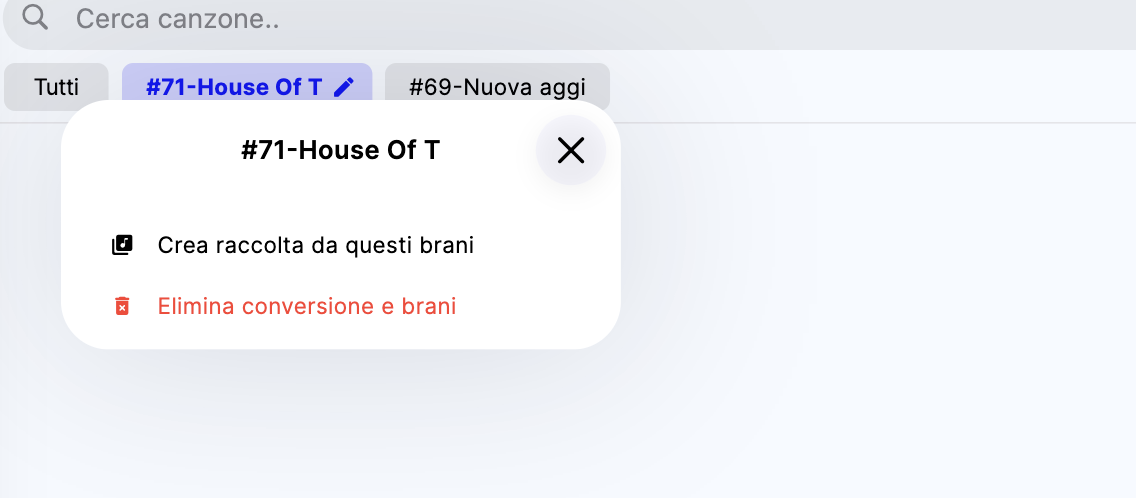
5. Create a collection from the conversion
In the list of extracted songs, open the options and select “Create collection from these songs”.
PraiseTune will automatically create a new collection on your home page, grouping all the songs you just imported. It’s a great way to stay organized, especially when you’re working through an entire songbook.
6. Export to ChordPro
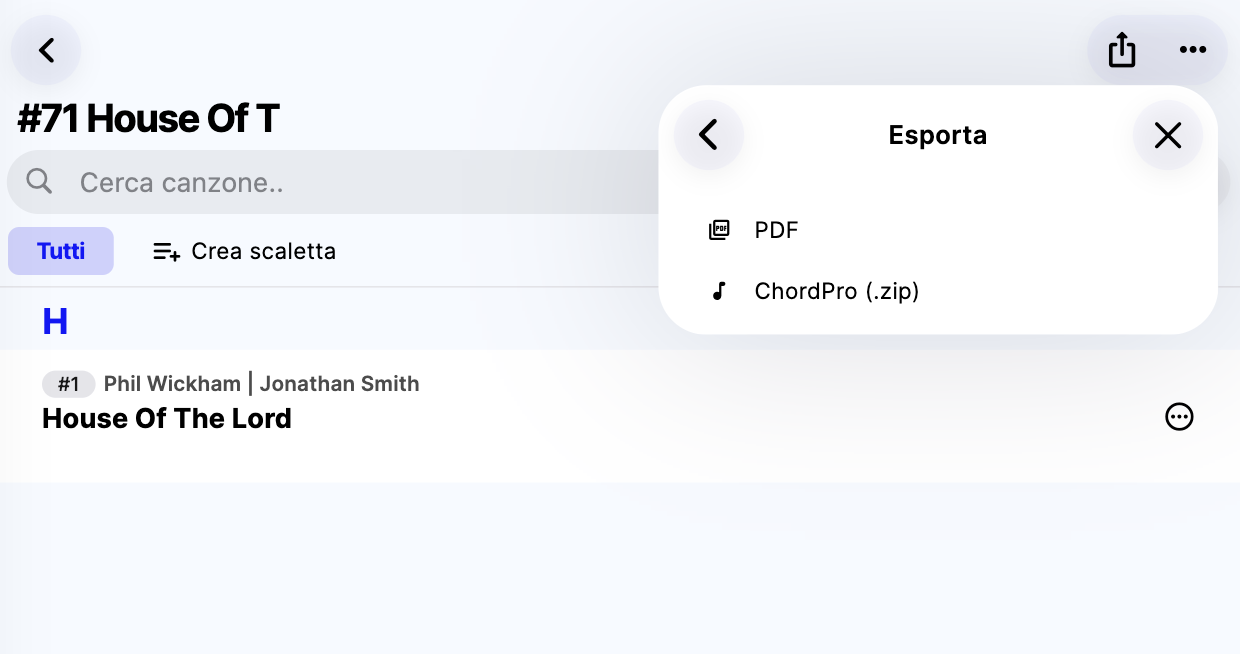
Now you’re ready to export. Go into the collection, open the options and select “Export as” then “ChordPro (.zip)”.
PraiseTune will generate a .zip file containing a separate .chordpro file for each song. You can save it to your device, share it by email, upload it to cloud storage, or import it into any other software that supports the ChordPro format.
The conversion isn’t always perfect, and that’s fine
The AI does a great job, but the quality of the output also depends on the quality of your source files. PDFs with small text, blurry images, or chords written in non-standard ways may need some manual corrections.
That’s why PraiseTune includes a powerful editor that lets you modify songs directly in the app. You can adjust lyrics, chords and structure with precision, without having to switch to any other tool.
Even if the conversion is only 80% accurate, you’re still saving hours of work compared to typing everything from scratch. PraiseTune’s editor helps you fix the rest quickly and intuitively.
How much time does it actually save?
Imagine you have a songbook with 40 songs in PDF format. Here’s the real difference:
Without PraiseTune:
- Typing each song manually: 10-20 minutes per song
- Total: 6 to 13 hours of work
With PraiseTune:
- Uploading the PDFs and starting the extraction: 2 minutes
- Reviewing and correcting songs: 1-3 minutes per song
- Exporting to ChordPro: 1 minute
- Total: 45 minutes to 2 hours
The savings are significant. And once your songs are in ChordPro, you can use them everywhere: in PraiseTune during rehearsals, in other software for printing, on projected screens during services.
To wrap up
Converting PDFs to ChordPro has never been this simple. With PraiseTune you can do it in a few taps, with no technical knowledge required, right from your phone or computer.
If your worship team still has songs scattered across PDFs here and there, this is the perfect chance to get organized once and for all, and work much more smoothly every week. If you want to understand why a dedicated tool is worth adopting, also read 3 reasons to use PraiseTune at church and the overview of the app for worship leaders and church musicians.
Download PraiseTune for free on the App Store and Google Play and start converting your PDFs today.