

PraiseTune is the app worship teams and church musicians use to manage lyrics, chords, collections and setlists in one place. Keeping tempo while leading a worship team is never a given, especially on songs with tempo changes or ones the band knows less well. You could already open a song’s metronome before, but checking another song in the meantime meant losing it, and it had to start over. With PraiseTune 1.2, the metronome becomes a floating button that follows you anywhere in the app and keeps running until you stop it.
Where to find the metronome
Open a song and tap the metronome icon in the top bar: a panel opens with the song’s BPM (already set by whoever wrote the song), a Play button, and subdivision options. Each song’s BPM and time signature are set once from the editor, and you’ll find them every time you open it from then on.
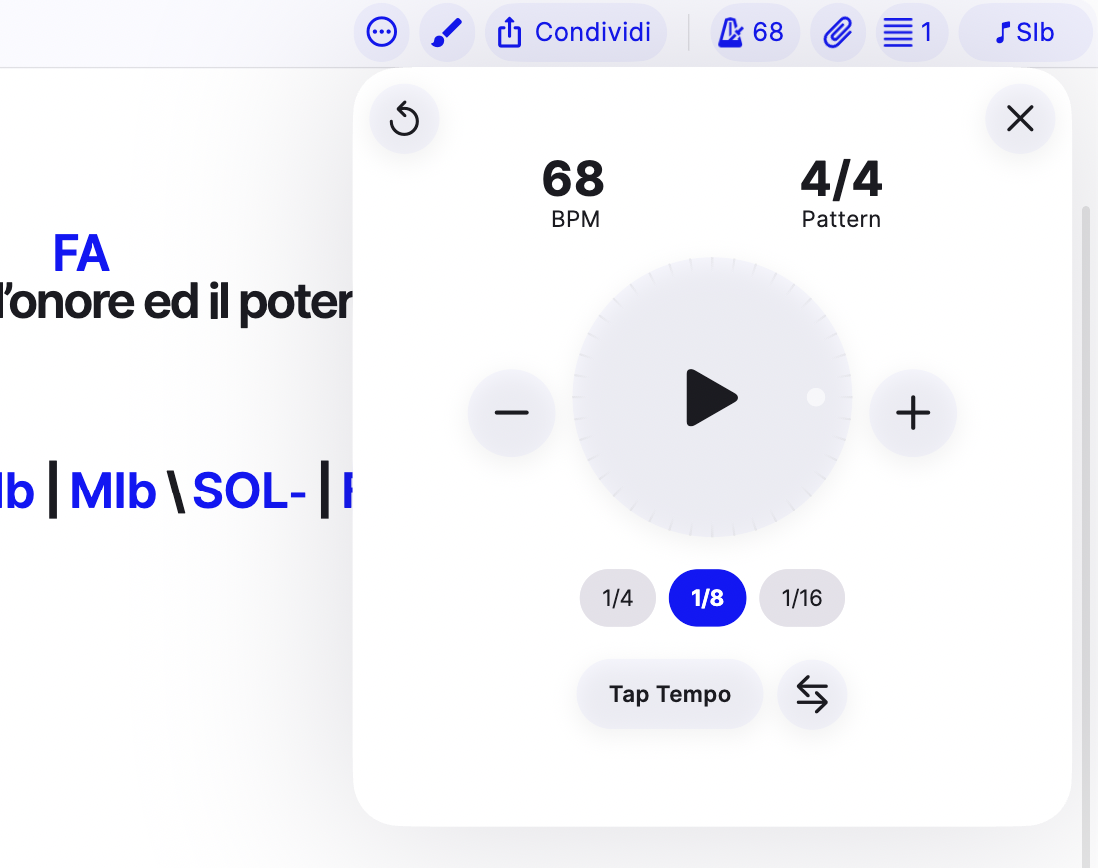
The floating button: you never lose it again
The first time you use it, a small round button with the metronome icon appears in the bottom right corner: it’s reachable from any song list and from any open song, not just the one you started it on.
- Tap the button to open the same panel as before, with Play/Pause right there.
- Closing the song doesn’t stop it: the metronome keeps playing while you browse the collection or open another song, so you can check the next song in the setlist without losing the current tempo.
- Drag it down to dismiss it and stop it, like swiping away a notification.
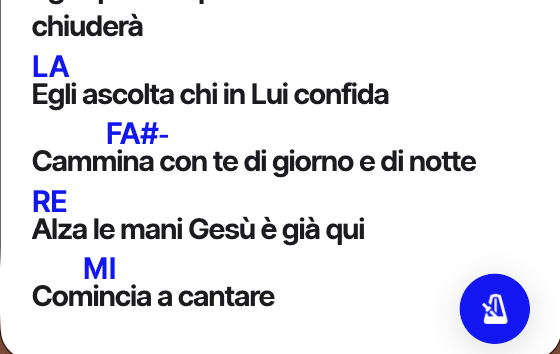
Tap tempo and subdivision
If you don’t know a song’s exact BPM, use Tap Tempo: tap along a few times and PraiseTune works out the BPM for you. You can also pick a click pattern (for example every eighth or every sixteenth note instead of one click per beat), useful on songs with a particular feel where the main beat alone isn’t enough to stay in sync.
Frequently asked questions
Is the metronome included in the Free plan? No, it’s a paid-plan feature (Solo or Team). On the Free plan the button is visible but dimmed, and tapping it opens the upgrade page.
If I close the app, does the metronome stop? Yes. It keeps running while you navigate inside PraiseTune, switching songs or going back to the list, but it stops if you close or background the app.
Does every song have its own BPM? Yes, BPM and time signature are set per song from the editor. Opening another song, the metronome automatically picks up its values.
Can I change the BPM while the metronome is running? Yes, you can edit the BPM from the panel even while it’s playing, without needing to stop and restart it.
If you also need an ambient sound bed for transitions, PraiseTune 1.2 also introduces the pad: how to use the pad on PraiseTune. All the 1.2 updates are summarized in PraiseTune 1.2: floating metronome and pad, link attachments, last song and chords you can hear.
Download PraiseTune for free on App Store and Google Play.